Use tags to mark content
Tags can be used to mark content or media assets. This can help the editor when filtering the content. As an example images should be tagged with a Media-tag so that it is easier to find existing images when trying to find an image.
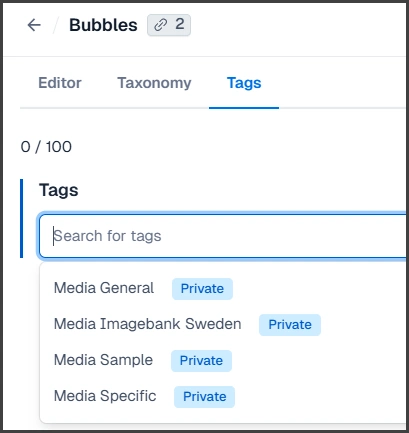
An example of tags used on an image asset.
Public tags can also be used to set a label on a content area or a content page.
Concepts and Taxonomy
Concepts are used both as support for editors and to helt visitors find specific content. As an example there is a possibility to connect content to concepts like speaker, country and topic.
Each content record can be connected to more than one item or more than one concept. A good practice is to always select concepts before publishing new content. Preferably already when the content is planned and created.
Editors can filter based on concepts which makes it easier to work with the content. Editors can also create Lists based on filters. This can be used to present content dynamically on pages as list. As an example all event pages connected to a specific speaker can be displayed on a page.
Visitors, or users, can also use filters on list pages. This gives them the possibility to find exactly the content they are looking for.