Content types
There are three main page types to choose from. Event Page, Article Page and Web Page.
An Event Page is chosen when there is a need to push for human interaction, hence inform of upcoming, or historical, events
An Article Page is chosen when knowledge in general should be spread. Article Page is the most commonly used page type.
An Web Page is used only to organize the main structure of the web site like a start page or a list page.
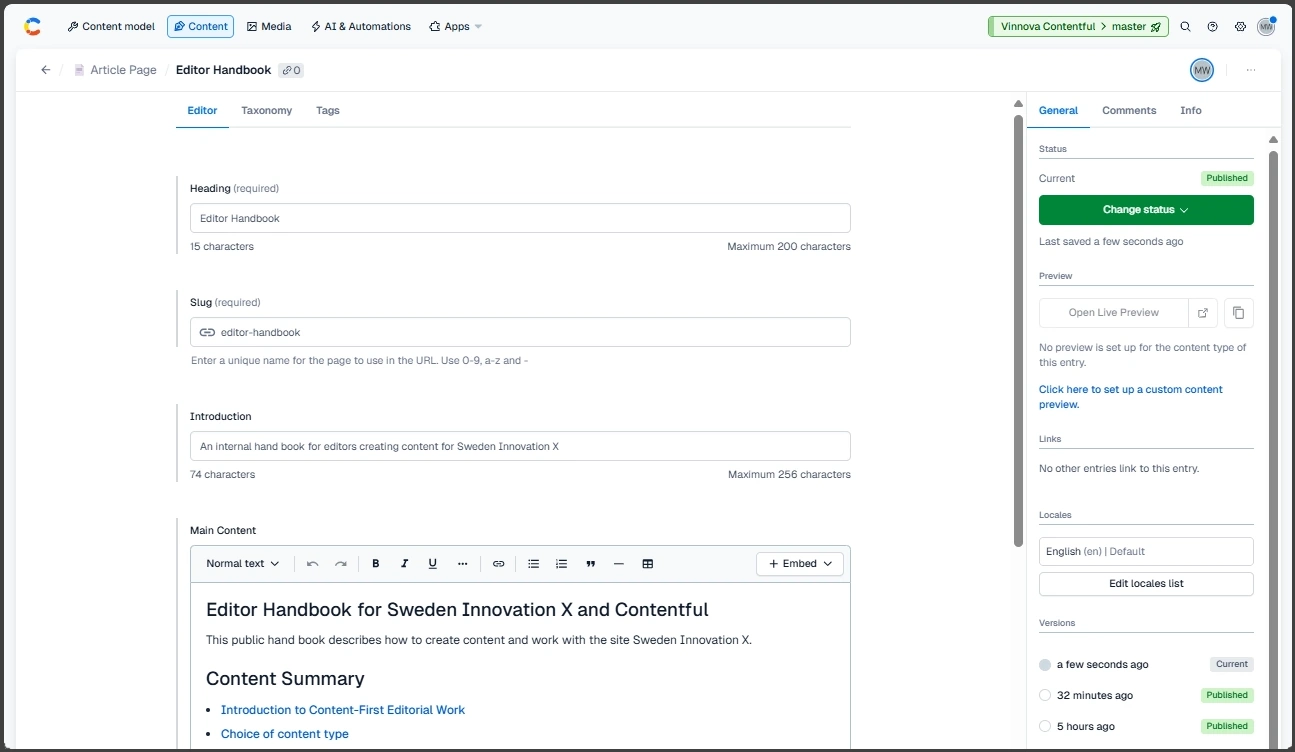
An example showing a typical Article Page
Heading
Heading is used to summarize the content in the article. It should be as short as possible without loosing the description of the content.
The heading is used in lists on the site as well as being the title of the page for search robots.
The heading is used to summarize the content, not to promote a brand or categorize content. Brand and categorization is managed using Taxonomy and Tags. The site will then present this in a good visual manner for the visitor. As an example, do not select a heading like this "Impact Innovation: The next step in Swedish innovation".
Introduction as a summary and a signal to read more
Introduction is like the heading a summary of the content. But it also a introduction to the content of the article. It can be used to give a visitor more information than the heading gives. A reader should have the possibility to decide if to continue reading when have read the introduction.
The introduction is used as default SEO description and might in some cases be used as extra information in lists.
All pages should have an introduction.
Main content
The primary content is created under Main Content. Before creating the content, be clear of what purpose this content has and what the reader should get out of it. What is the expected effect of someone reading, or consuming this information?
The text content is the base of the information. It is however possible to add assets to the text. Assets to make a web page more readable. If the content is accessed through an AI-agent or if the output channel only presents text, only the text content vill be of interest. Because of this assets like images and video should be seen as optional artifacts.
If assets contain information necessary for understanding something the same informations should also be available as text. This is also good accessibility practice.
The editor is similar to traditional HTML-editors but it is actually saving content as structured content and not as HTML. The number of tools in the editor might be fewer than what is available in traditional HTML-editors.
Main image
An image can be connected to an article page. This image will normally be shown when content is shown as a webb page or in social media.
The image will also be displayed when the content is shown as related content or through the list asset. If no image has been selected in these cases a default image will be displayed instead.
The recommended proportions of the Main Image are between 1x1 to 8x3, a wide image, not a high image.
Images can also be added to the Main Content but it is the Main Image that is displayed on web pages and in social media.
Tags and Taxonomy
Most pages should be added to a Concept within the Taxonomy. Always check the Taxonomy-tab to see if the content should be connected to an existing Concept.
In some cases also a tag is to be added to the content. Check under the Tag-tab to see if any tag applies.
Event Page Content
The Event page has some unique fields that will contain extra information about an event.
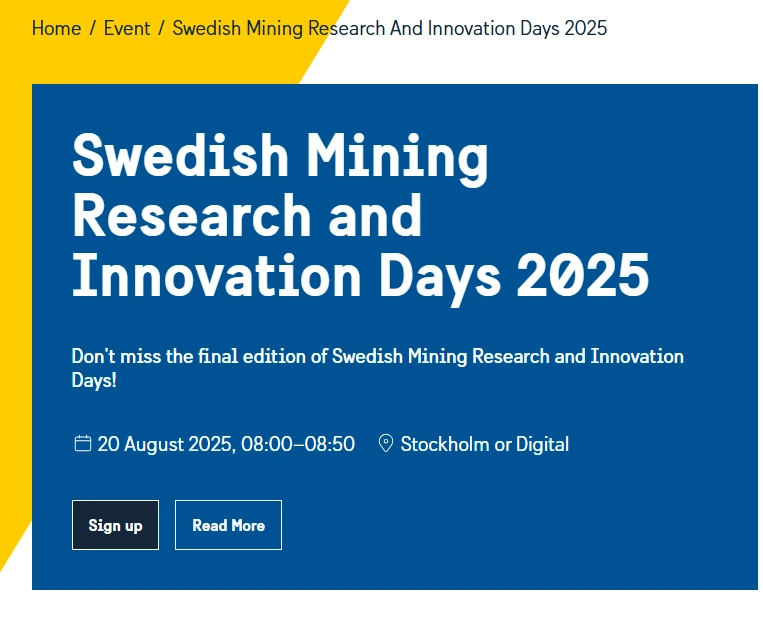
An example of an area displaying Event information
Start date
This represents the start date and time for the event. On the main site it will be displayed as CEST and with 12 hour clock AM/PM. The time should in normal case be the time in Stockholm, Sweden.
End date
This represents the end date and time for the event. On the main site it will be displayed as CEST and with 12 hour clock AM/PM. The time should in normal case be the time in Stockholm, Sweden.
End date is optional.
Location
The place of the event in plain text. Could be an adress, a City or a Country. The text Digital indicates that the event is available through internet.
Location is optional.
Event link
The event link should be in the format "http://www.site.se/registration-page/". It should point to either a page with a registration link or the registration form by itself.
Event link is optional.
Read more Link
The Read more Link should be in the format "http://www.site.se/information-page/". This page should contain additional information about the area the event is focusing on.
Read more Link is optional
Support for SEO
As default the heading is used as title and the introduction is used as description for search robots. The main image is then used as image.
To raise the accuracy for search robots it is possible to add a SEO asset to the SEO-area. In this case these texts and this image will be used instead of the default data. In this SEO asset it is also possible to hide the content for robots.